Using PaN-Space
Licence: Creative Commons Attribution 4.0 International
Keywords: PaNOSC, PaN-Space, User environment
Competency level: • Beginner
Authors:  Oliver Knodel
Scientific topics: photon and neutron technique
Status: Under development
Target audience: Students
Module 1: What is the EOSC Node PaNOSC?
• Beginner 2 materialsThis module introduces the PaNOSC EOSC Node, the thematic node of the European Open Science Cloud (EOSC) Federation representing the photon and neutron (PaN) science community. Participants learn what an EOSC Node is within the EOSC Federation, how the PaNOSC Node builds on the PaNOSC (2018–2022) and ExPaNDS (2018–2023) projects, and which resources it contributes to the EOSC Exchange: FAIR data and services from 11 European photon and neutron facilities, including federated data catalogues and search, authentication and authorisation (PaN AAI), remote analysis environments (VISA, notebooks), simulation, visualisation, and training resources. The module outlines the Node's key objective — making FAIR data a reality for PaN research infrastructures — and shows how researchers can discover, access, analyse and reuse PaN data through EOSC. It is intended for researchers, facility staff and data stewards who want to understand the Node's role before using its services in practice.
Module 2: What is PaN-Space?
• Beginner 2 materialsThis module presents PaN-Space, the Photon and Neutron Data Management Environment for EOSC, and its role as the user space of the PaNOSC EOSC Node. Participants learn why a unified user environment is needed: PaNOSC services such as data repositories, virtual compute environments, and training catalogues have so far operated largely in silos, forcing researchers to navigate multiple platforms and authentication systems. The module explains how PaN-Space addresses this by providing a central dashboard where users can search for and collect FAIR datasets, run analysis in virtual environments such as VISA, and access training materials — following the full workflow from data discovery to analysis, publication and cross-disciplinary sharing. It also covers the technical foundation (the open-source HELIPORT platform developed at HZDR), PaN-Space's onboarding into the PaNOSC Node as a user-oriented research space, and its alignment with FAIR principles and Open Science within the EOSC Federation. It is intended for researchers, facility staff, and data stewards who want to understand and use PaN-Space in their daily work.
-
Video
Video on PaN-Space — The Photon and Neutron Data Management Environment for EOSC
PaN-Space research infrastructure EOSC PaNOSC EOSC Federation Photon and Neutron FAIR data Open Science HELIPORT PaN-Finder …
-
Documentation
PaN-Space User Documentation
• BeginnerPaN-Space PaNOSC User space User environment Photon and Neutron EOSC Federation EOSC Nodes EOSC Training and Competencies
Module 3: What is PaN-Finder?
• Beginner 2 materialsThis module introduces PaN-Finder, the Photon and Neutron federated knowledge finder of the PaNOSC EOSC Node. PaN-Finder is an AI-enabled discovery portal that helps researchers locate and access open data from European photon and neutron facilities. The module explains its origins: the federated PaNOSC Data Portal, developed in the EU Horizon 2020 PaNOSC project, already provided a single access point to open data, but effective searching was limited by inconsistent metadata, domain-specific terminology, and the technical knowledge required from users. Participants learn how PaN-Finder lowers these barriers by connecting metadata from multiple sources and understanding both summative and exploratory questions, providing responses that summarise a large knowledge pool and reference relevant FAIR datasets, publications, and related resources. The module also covers PaN-Finder's role as one of the registered services of the PaNOSC Node, its function as a cross-node EOSC Federation use case together with the German national node, and its long-term perspective of migrating from commercial AI tools to open or EOSC-provided AI services to support European data sovereignty. It is intended for researchers, facility staff, and data stewards who need to find and reuse PaN data efficiently.
Module 4: What is VISA?
• Beginner 3 materialsThis module introduces VISA, the Virtual Infrastructure for Scientific Analysis, and its role as the virtual research environment of the PaNOSC EOSC Node. VISA is an open-source platform that lets scientific users create compute instances on an OpenStack-based infrastructure and analyse their experimental data remotely, using only a web browser. The module explains the problem VISA solves: as data volumes grow, transferring experimental data from the facility to a researcher's home institution becomes impractical, and computing environments need to be harmonised for collaboration. Participants learn how VISA provides remote desktop environments and Jupyter notebooks pre-configured with facility-specific scientific software, giving direct access to experimental data during or after an experiment, as if the user were sitting at a data analysis workstation at the facility. It also covers real-time collaboration through data sharing, the platform's origins (initially developed at the Institut Laue-Langevin and further deployed through the PaNOSC and ExPaNDS projects), its adoption across European PaN facilities and beyond, and its registration as a service of the PaNOSC Node within the EOSC Federation. It is intended for researchers and facility staff who want to run remote, reproducible data analysis.
-
slides
Virtual Infrastructure for Scientific Analysis (VISA) Workshop
VISA expands PaNOSC remote data analysis services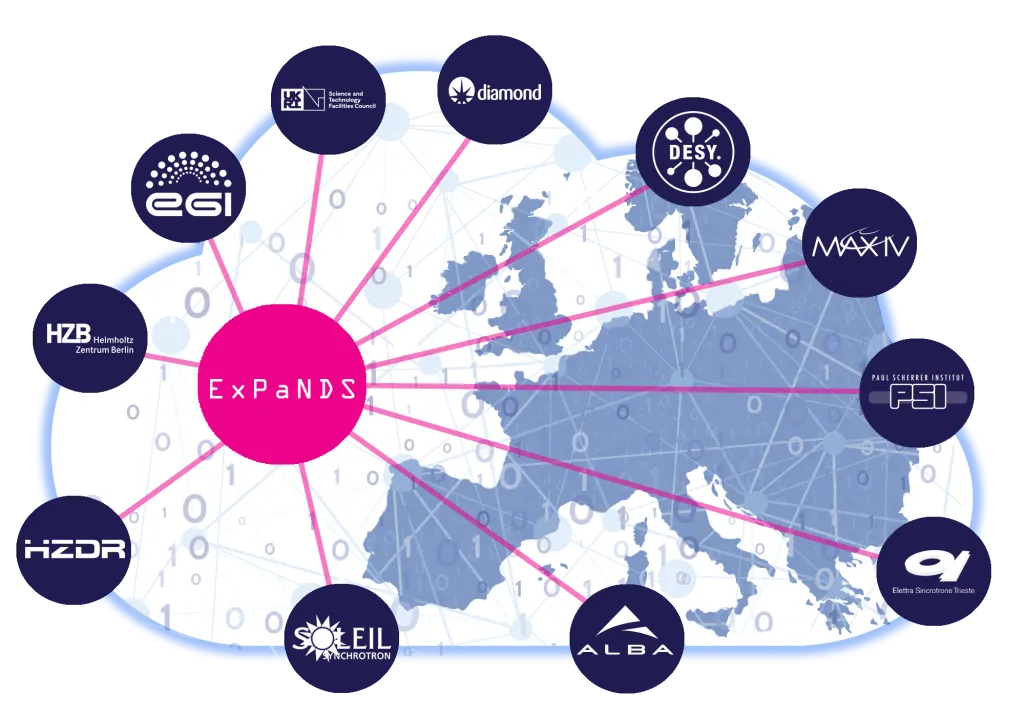
-
workflow
Containerized Serial Crystallography “CrystFEL” VISA workflow
crystallography CrystFEL Serial crystallography pulsed X-ray beam VISA
-
video
Access tomotools from visa.esrf.fr
tomography tomography tomotools nabu VISA
Activity log
